


|
Name |
Perfect TV |
|---|---|
|
Google Play Link |
GET IT ON
Google Play
|
|
Category |
Entertainment |
|
Developer |
Perfect Internet |
| Last version | 8.5.2 |
|
Updated |
|
|
Compatible with |
Android 6.0+ |
Introduction to Perfect TV APK
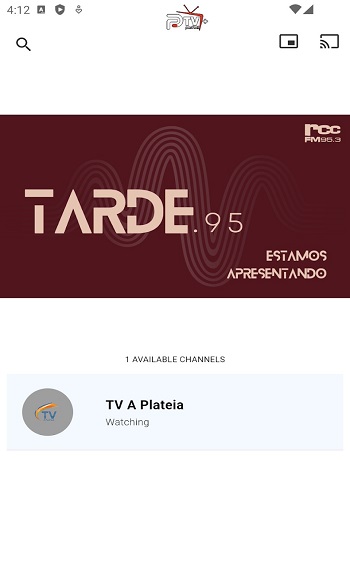
Perfect TV is a mobile IPTV and media player app built for Android devices, giving users the ability to stream live TV, watch video-on-demand, and play locally stored videos without a traditional cable setup. It works with M3U playlists, supports various streaming protocols, and provides a familiar TV guide-like interface through EPG compatibility. With its flexible design, the app transforms smartphones, tablets, or Android TV boxes into personal entertainment hubs.
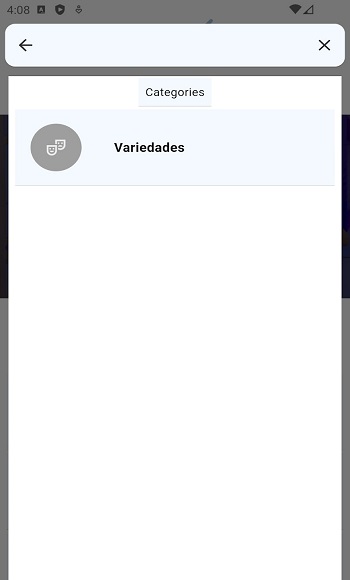
This app is designed for people who want control over their viewing setup. You can add your own channel lists, organize them to your liking, and switch between different content sources. It doesn’t come preloaded with channels, so you get to decide what you want to watch. For those who have favorite IPTV sources or personal media collections, the ability to combine both in one place is a huge plus.
One of the strongest points is its smooth playback performance. Perfect TV offers adjustable buffer settings, which can be a lifesaver for slower internet connections. By supporting multiple protocols like HTTP, RTMP, UDP, and HLS, it works well with a variety of streaming sources. The inclusion of Chromecast support means you can easily move content from your device to the big screen.
It also handles offline playback surprisingly well. You can watch videos stored on an SD card, USB drive, or network storage without needing internet access. The app supports multiple video formats, so you’re not stuck converting files before watching them. This flexibility makes it a strong option for people who like having both online and offline media in one player.
The interface is clean and adaptable. Whether you’re using a remote, touchscreen, or keyboard, the controls are straightforward. You can tweak the look, change font sizes, and adjust layout settings for a viewing style that suits you. This level of customization makes it comfortable for all kinds of screens, from small phones to large TVs.
On the downside, sourcing quality IPTV playlists can take effort, and not every free source will offer reliable or legal streams. You’ll need to keep playlists and EPG data updated for the best experience. Still, for people who are willing to maintain their channel sources, the freedom and flexibility offered outweigh the extra work.
Perfect TV is ideal for IPTV enthusiasts, media collectors, and anyone looking for a customizable TV-watching setup without monthly fees. Whether at home or on the go, it’s a practical way to bring both streaming and personal media into one easy-to-use platform.
FAQs Perfect TV
What is Perfect TV?
+
Perfect TV is an Android IPTV and media player app for streaming live TV, video-on-demand, and local media using playlists and EPG data.
How do I add channels to Perfect TV?
+
You can add channels by importing M3U or XSPF playlists from your chosen IPTV provider or source.
Does Perfect TV work without internet?
+
Yes. You can watch videos stored locally on your SD card, USB drive, or network storage without needing an internet connection.
Which devices support Perfect TV?
+
Perfect TV works on Android phones, tablets, TV boxes, and supports Chromecast for viewing on larger screens.
Is Perfect TV legal to use?
+
The app itself is legal, but you should only use legitimate IPTV sources that comply with local copyright laws.
Discover More Interesting Apps
-

Homura Animes
v1.0.1085
76.20 Mb
Updated -
Mod
Patreon
v126.39.0.15
121.76 Mb
Updated -
Vertical TV
v3.2609.02
29.30 Mb
Updated -
Mod
STAGE Films
v5.11.100
12.14 Mb
Updated -
LEGAZY IPTV PLAYER
v8.7
6 MB
Updated -
BBC iPlayer
v5.73.0.38075
22.79 Mb
Updated -
Latin TV Live
v1.3.20
21919839
Updated -
RTVE Play
v8.8.2
44.60 Mb
Updated -
EVA AI
v3.158.0
34.65 Mb
Updated -
Mod
BlinkDrama
v3.5.0
120.41 Mb
Updated









Share Your Thoughts